Use the Happ app for tvOS 17.6
Step 1. Installation and setup on your phone: Happ app for iOS 15 or Android
Если у тебя айфон, установи и настрой приложение Happ по инструкции. Для телефона на Android смотри на эту инструкцию.
Step 2. Installation and setup on Apple TV: Happ app for tvOS 17 and above
Install Happ on Apple TV: open the App Store on your TV, find the app in search, and tap “Download.”
Start setting up the connection on the set-top box. To do this, open Happ on your TV.
A QR code will appear on the screen.
.jpg)
•Scan the QR code using the Happ app on your phone. Open the app on your phone, tap the “+” icon in the top-right corner, and select “QR code.”
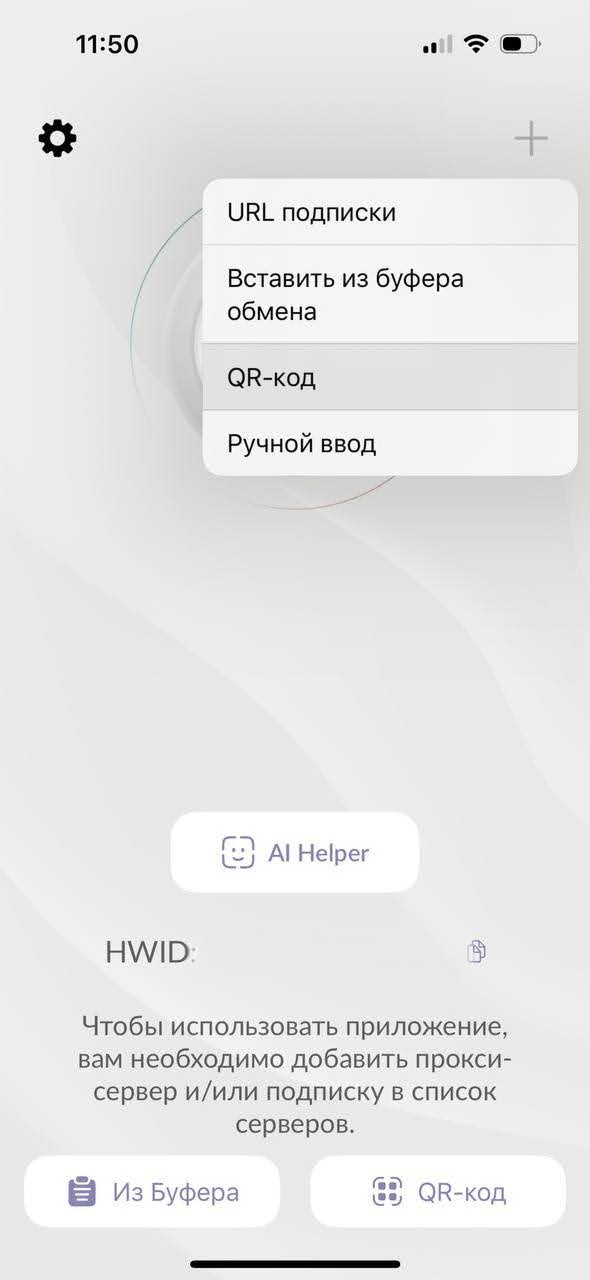
•The app will request access to the camera — allow it. Then scan the QR code from the TV.
.jpg)
•A prompt will appear on your phone asking for permission to find devices on the local network — tap “Allow.”
.jpg)
•On your phone, check the box next to our service and tap “Send.”
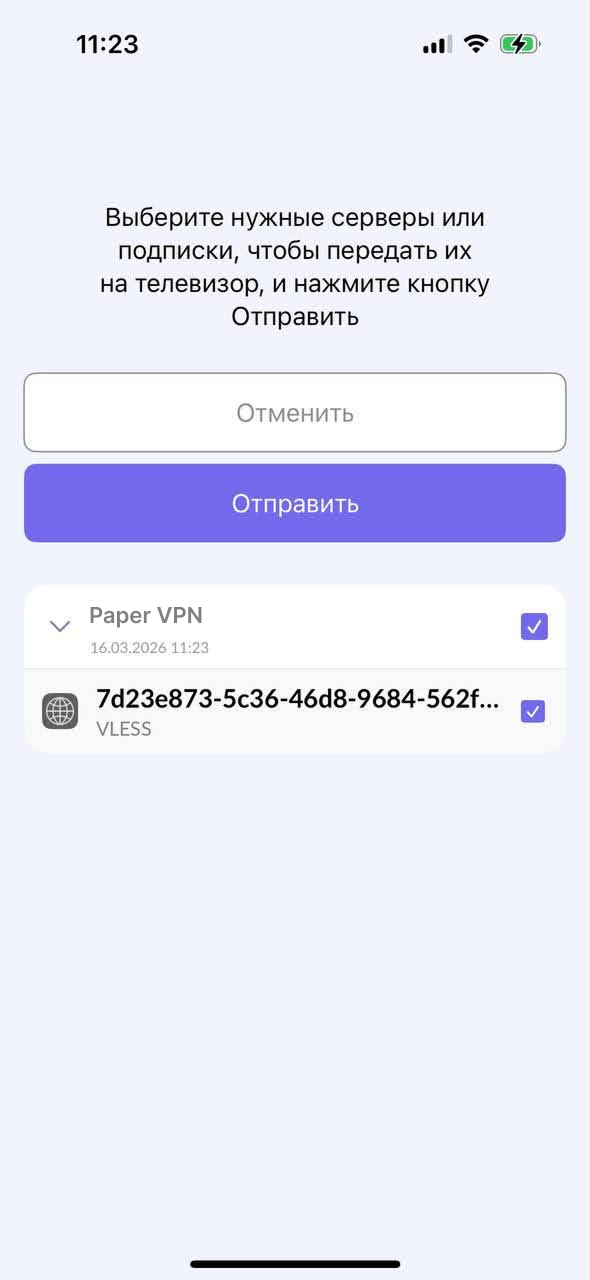
•Return to the TV — a connection profile will appear on the screen. Tap the large button on the right to turn on Paper VPN. Use the same button to turn it off.

•Before the first connection, the app will ask for permission to add a configuration. Tap “Allow.”
.jpg)
•We also recommend enabling automatic key updates for access. This will be useful when changing the server or server location.

.jpg)
.jpg)
.jpg)